
# Parameters
Editor: bottom bar › Parameters
A parameter is a named value, such as a waveguide width. Use it in fields instead of a number. When you change its value, every field that uses it changes too. The panel also lists the constants, such as pi.
# The Parameters Panel
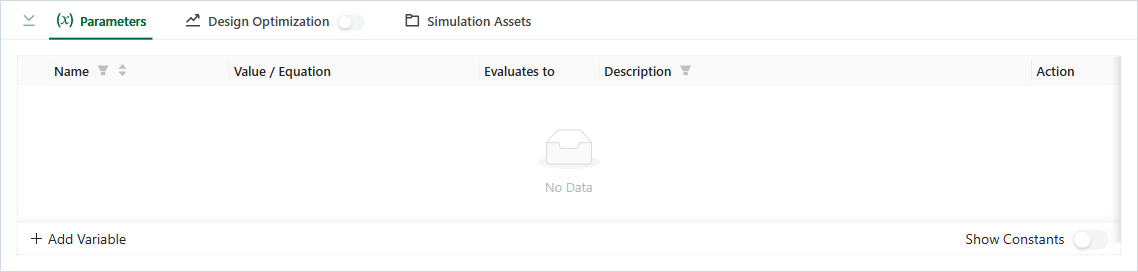
Parameters panel
| Column | Meaning |
|---|---|
| Name | The name to use in fields. |
| Value / Equation | A number, or an equation with other parameters. |
| Evaluates to | The value that the equation gives. |
| Description | Your note. |
| Action | Assigned To (the fields that use it), Duplicate and Delete. |
- Add Variable adds a row named
var0,var1, and so on, with the value 0. Click a cell to change it. - Show Constants adds the constants to the list. Constants cannot change.
- Drag a row to change the order.
# Use a Parameter in a Field
- In a number field, type
@. A list of the variables opens. It also opens after,,+,-,*,/,**and(. - Pick a variable, or pick Create New Variable.
- To write a longer equation, click the formula icon in the field. The Equation Editor opens.
# Common Mistakes
- Deleting a variable that a field uses: the editor stops you. Remove it from the field first. Assigned To shows where it is used.
- Changing a parameter in a version that has run: create a new version first. See Project History.