
# Simulation Assets
Editor: bottom bar › Simulation Assets
Simulation Assets shows the details of the open version: its ID, its status, its size and its cost. It also downloads the setup files and, after a run, the result files.
# Simulation Details
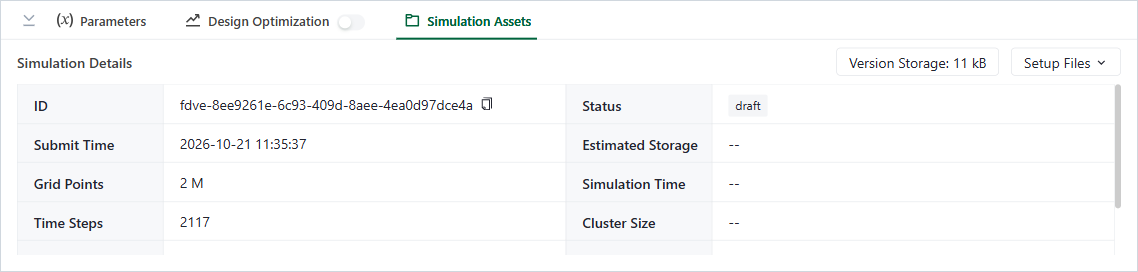
Simulation Assets panel
| Detail | Meaning |
|---|---|
| ID | The ID of this version. Click the copy icon to copy it. |
| Status | For example draft, or the result of the run. |
| Submit Time | When the version was submitted. |
| Grid Points and Time Steps | The size of the simulation. |
| Estimated Cost and Billed Cost | The cost before and after the run. |
| Estimated Storage, Simulation Time, Cluster Size, Caching and Tidy3D Version | Details of the run. |
Version Storage shows how much storage this version uses.
Cloud only
Estimated Cost and Billed Cost are in FlexCredits. With a vGPU license, the details also show the Estimated GPU Memory.
# Files
- Setup Files: download the setup as JSON or HDF5.
- Result Files: appears after the run has finished or diverged. It downloads the data and the log. For results of Tidy3D 2.11.2 or later, the data can also be converted to a MATLAB
.matfile.
In some projects a second tab shows the history of related runs, for example Mode Simulation History or Design Optimization History.