
# Monitors
Editor: Setup › Monitors · Python: td.TemperatureMonitor
A temperature monitor records the temperature inside its box. A new Heat project has one, domain_temp_monitor, which covers the whole domain. A Heat project needs at least one temperature monitor.
# Add a Monitor
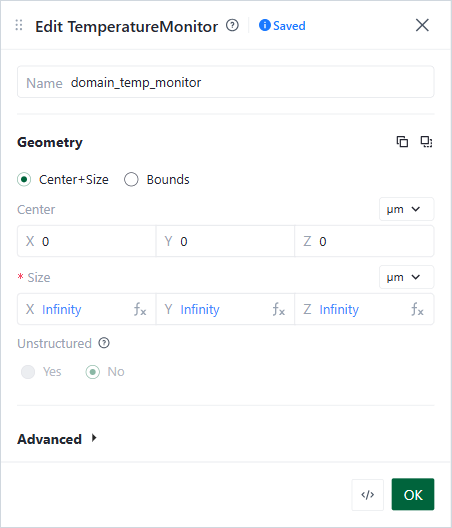
Edit TemperatureMonitor form
- In Setup › Monitors, click +, then Temperature Monitor.
- Set its Center and Size. A size of 0 along one axis gives a plane, for example a cut through the device.
- The temperature is recorded only inside structures whose medium has thermal properties.
monitors: List of monitors in the simulation. The monitor name labels its data in the Results tab.
Options:
# How to Choose
| If you want … | Use … |
|---|---|
| The temperature everywhere | domain_temp_monitor, as the project starts |
| A cut through the device | A monitor with size 0 along one axis |
| Less data, around one part only | A small monitor around that part |
# Common Mistakes
- Deleting domain_temp_monitor without adding another monitor. The check then fails.
- A monitor that crosses no structure with thermal properties. The check then fails. See Heat Troubleshooting.