
# Boundary Conditions
Editor: Setup › Boundary Conditions · Python: td.HeatBoundarySpec
A boundary condition sets what happens on a surface: its temperature, the heat that flows through it, or the heat it exchanges with its surroundings. Its Placement says where it applies. A surface with no condition lets no heat through. So a Heat simulation needs at least one TemperatureBC or ConvectionBC; with only HeatFluxBC, the temperature is not defined and the check fails.
# Add a Boundary Condition
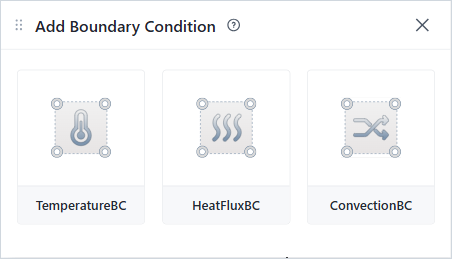
Add Boundary Condition panel
- In Setup › Boundary Conditions, click +, then TemperatureBC, HeatFluxBC or ConvectionBC.
- The form opens with Placement SimulationBoundary on all six Surfaces of the domain. The starting values are 298.15 K for TemperatureBC, 1 W/µm² for HeatFluxBC, and 1 W/(µm²·K) with 298.15 K for ConvectionBC.
- To apply the condition to some edges only, remove the other surfaces from Surfaces.
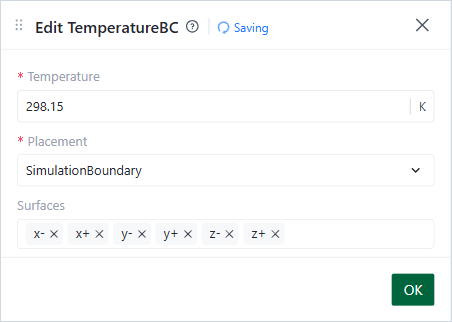
Edit TemperatureBC form
# How to Choose
| If the surface … | Use … |
|---|---|
| Touches a heat sink at a known temperature, for example the substrate under a chip | TemperatureBC |
| Receives or loses a known heat flow | HeatFluxBC |
| Exchanges heat with air or a liquid | ConvectionBC |
| To apply the condition on … | Use the placement … |
|---|---|
| The edges of the domain | SimulationBoundary |
| The outer surface of one structure | StructureBoundary |
| The surface between two structures | StructureStructureInterface |
| The surface between two materials | MediumMediumInterface |
| The part of the domain edge that a structure covers | StructureSimulationBoundary |
# Common Mistakes
- Only HeatFluxBC conditions. The check rejects the setup. Add a TemperatureBC or a ConvectionBC.
- A temperature in °C. The editor uses kelvin; 25 °C is 298.15 K. A negative value is rejected.
- Keeping the starting value 1 of HeatFluxBC or ConvectionBC. The units are per µm²: 1 W/µm² is 10¹² W/m². Enter a value for your device.